A follow-up on PIN and touch for encrypted storage and everyday authentication
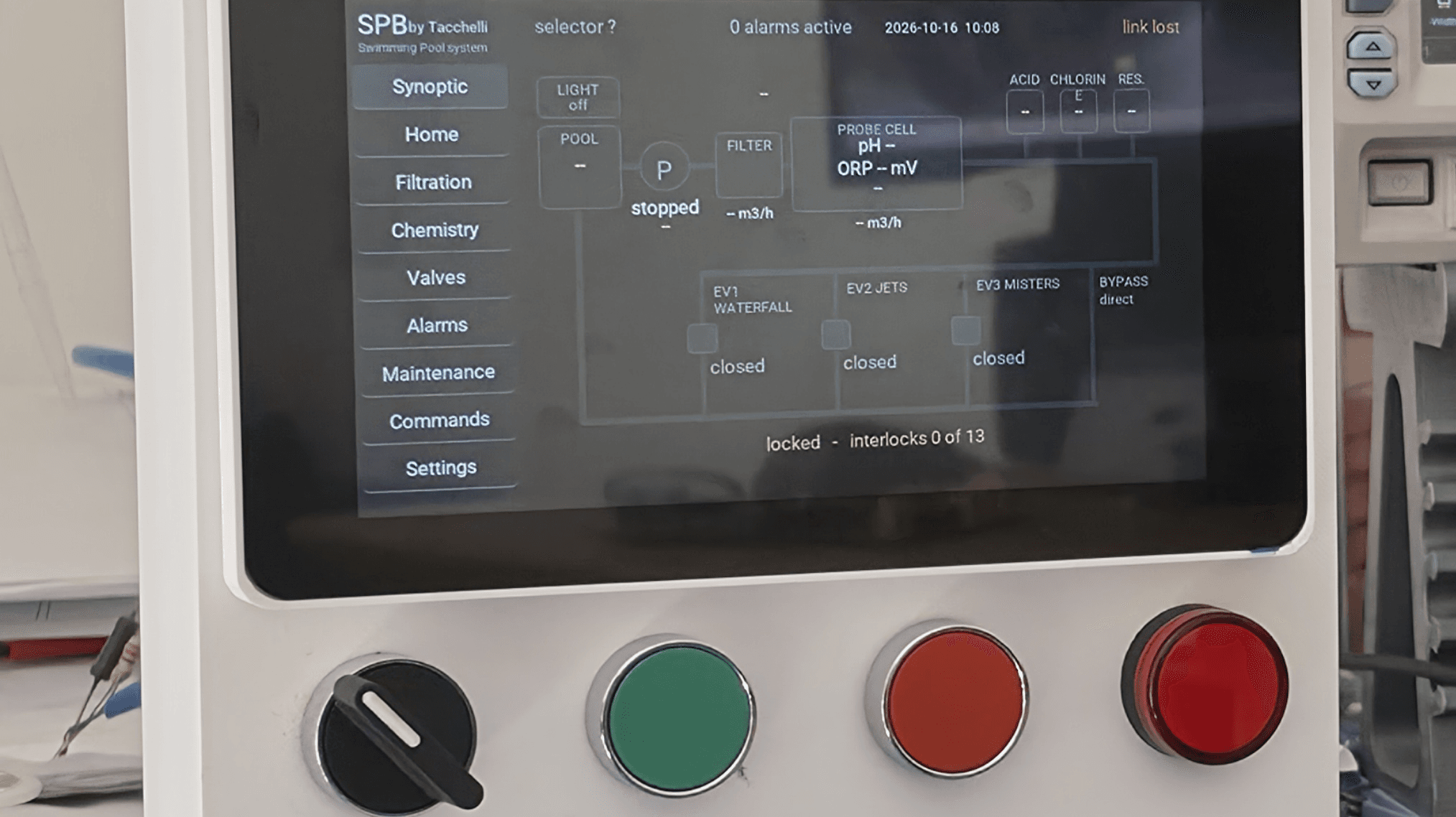
On my first day working with Fedora Linux 45, I wanted to see how far I could get without typing my account password during normal use. The goal was straightforward: use a physical FIDO2 security key, its PIN, and a touch to unlock the encrypted system, sign in, unlock the screen, and approve administrative actions. Keep strong recovery passwords available when the keys are not.
By the end of the session, two Yubico Security Key NFC devices were working across all four USB ports of my Dell Latitude E6430 ATG. I could unlock the disk with one key and authenticate at the desktop with the other. Repeated swaps continued to work. Two Identiv uTrust devices also enrolled and initially passed several tests, but later boot-unlock failures made their results much less dependable.
This is a non-production lab report. Do not apply it to a production machine. I spent several hours testing on November 3, 2026, and found the Yubico workflow consistent in those tests. That is a useful result, not a guarantee of long-term stability or compatibility with a different computer. Keep backups, independent recovery secrets, and a way to recover the installation.
Why this is worth exploring
The policy is a choice of a registered key with PIN and touch or the retained password fallback. It does not enforce possession of a key for every login. Anyone who knows a valid fallback password can still use it. That distinction matters when deciding which threats this setup addresses.
My goal is to build a computer where I almost never need to enter a reusable password during normal operations. Ideally, I want to rely on either my primary or backup FIDO2 security key for 99% or more of everyday authentication. I'm not eliminating passwords. Instead, I retain very strong, unique, high-entropy disk and account passwords as protected recovery credentials for lost keys, hardware failures, or other emergencies. The 99% figure is my objective, not a measured result from this lab.
The security benefit is reducing unnecessary password exposure. A password I don't routinely type presents fewer opportunities for someone watching or for keylogging malware to capture it. Although a keylogger could still capture a security key's PIN, that PIN alone generally cannot complete a new authentication requiring possession of the registered key and a physical touch, even if the key remains inserted in the computer. This adds another barrier against unauthorized access, although it doesn't prevent attacks against an already compromised system or eliminate the risks associated with retained password fallbacks.
I see this as part of defense in depth alongside updates, careful backups, physical security, and least privilege. It is compatible with thinking in zero trust terms, where authentication and authorization are distinct and access does not follow merely from being on a trusted network (Rose et al., 2020). A token by itself is not a zero trust architecture.
There are limits. I did not test resistance to malware, a modified boot environment, phishing, or a stolen live session. Local PAM authentication and disk unlocking do not establish browser WebAuthn phishing resistance. Encryption protects stored data when locked; it is not a complete defense for an already compromised, unlocked computer.
A fresh installation and a different desktop
My Fedora 42 article described a Cinnamon and LightDM setup (Murphy, 2025). This was a clean Fedora Workstation 45 installation using GNOME and GDM. I used the distribution’s packages and the existing authselect profile rather than importing the older article’s manual PAM and build steps.
During the original November 3 session, the system ran kernel 7.2.15-300.fc45.x86_64, with systemd 262.1-1.fc45. The PAM packages were pam-u2f and pamu2fcfg 1.4.0-8.fc45. The two Yubico devices identified themselves as Security Key NFC models with firmware 5.7.4 and 5.8.0. I did not establish a uTrust firmware revision.
The installer encrypted the main system volume, containing Btrfs root and home filesystems. The EFI and /boot partitions were outside that encrypted volume. My target was /dev/sda3; that name is specific to this installation. A reader must identify the correct encrypted partition on their own machine before copying any disk command.
One installation exception deserves disclosure: the boot-media check failed even though I had checked the downloaded image’s checksum. I proceeded on this disposable lab system. I did not establish why it failed, and I do not recommend ignoring a failed media check. Recreate and verify the medium before treating the installation as a trustworthy starting point.
Disk enrollment and account registration are separate
I first preserved a LUKS header backup and a copy of /etc/crypttab. The backup recorded in this session stayed on the local encrypted root filesystem; a completed off-device recovery backup was not documented. That is a gap to address before depending on this arrangement.
With only the intended key connected, I enrolled it against the verified LUKS2 partition with client-PIN and user-presence requirements. The systemd documentation describes the FIDO2 hmac-secret requirement for this path (systemd project, n.d.). I added fido2-device=auto to the existing crypttab option field, included the dracut fido2 module, rebuilt the running kernel’s initramfs, and checked that the module was present (Dracut project, n.d.).
The first boot test took a PIN and touch and reached the graphical login screen. That completed the disk part. It did not enroll the key for my account.
For the account, I used pamu2fcfg --pin-verification as the normal user and stored the mapping in ~/.config/Yubico/u2f_keys. The registration option requests PIN verification for authentication (Yubico, n.d.-b). I then enabled with-pam-u2f in the existing local authselect profile, preserving an authselect backup and checking that the configuration remained valid (Authselect project, n.d.).
The feature used the existing shared PAM paths. I did not need a separate key enrollment for polkit, a new polkit authorization rule, or manual edits to the GDM files. A fresh sudo test returned root after PIN and touch. The graphical pkexec test did the same. Screen locking and a full logout-and-login test also passed.
The companion lab guide 1 contains the successful commands and success checks in sequence. They are not a universal copy-and-paste recipe for a different partition layout or an existing custom authentication stack.
Adding the backup key without losing the first
The second Yubico key already had a PIN set and tested before Linux enrollment. I registered it to a separate file, backed up the current account mapping, and appended its credential to the same account line. The mapping format accommodates multiple credentials for one username (Yubico, n.d.-a). I tested the new key alone before proceeding.
I then enrolled that physical key separately for LUKS. It received slot 4 because two uTrust enrollments had already occupied slots 2 and 3. The first Yubico enrollment was in slot 1, and the original disk-passphrase route remained in slot 0. Slot numbers record this session’s order; they are not values readers should reproduce manually.
All enrollments remain in place. I have not removed the uTrust entries or reset any key. The procedure did not require a fresh crypttab edit for every additional authenticator.
What repeated testing changed
At first I was excited that the uTrust keys were working. Both produced account registrations, both enrolled for the disk, and several sudo, polkit, login, and screen-unlock tests succeeded. An initial GDM problem later disappeared in a correctly controlled test without a demonstrated configuration repair.
The important finding came from continuing to test. Moving through ports and restarting exposed intermittent disk-unlock failures with both uTrust devices, even when connected before startup. The Yubico key unlocked the same machine during troubleshooting. Some earlier attempts might have involved an incorrect PIN, so I do not use those attempts alone to establish a defect. Later repeated failures were enough for me to stop treating these two uTrust devices as dependable boot keys on this computer.
I observed periodic green flashing and a brief red indication on uTrust devices. I do not know what caused those indications or whether they explain the failures. The inspected SELinux search found no matching AVCs, which is not a diagnosis either. I cannot say which component changed since the earlier Fedora installations, or that Fedora, a USB controller, or the token firmware was responsible.
After switching to the Yubico keys, I reported no further issues. Each key succeeded in tests across all four physical USB ports. I also alternated which key unlocked the disk and which authenticated at the desktop. I did not record a formal trial count, so these results should not be converted into a percentage or a blanket endorsement of every device from one vendor.
Tested pathYubico keysuTrust keysDisk enrollmentBoth completedBoth completedRepeated disk unlockingNo failures reportedIntermittent failures reportedAccount and privilege authenticationReported tests passedSuccessful tests, with an earlier transient login problemScopeOne laptop and one day of lab testingSame machine and session
Recovery deserves its own test
I also booted without a connected key. The initial prompt still asked for a token PIN. Empty Enter did not immediately reveal the passphrase option, and Escape only switched the display between graphical and text views. In the successful attempt I entered the usual token PIN with the key absent, waited, and eventually received the disk-passphrase prompt. The strong disk passphrase unlocked the volume, and the account-password fallback let me log in.
The delay was not measured, and I did not test forgotten-PIN recovery. I would not describe this as an instant or universal fallback shortcut. The useful result is narrower: recovery without the physical key worked in this session using the retained disk and account secrets.
Late insertion after reaching the boot prompt was less dependable than having the chosen key plugged in before power-on. That became my preferred test workflow. It is an observation to investigate further, not a claim that every key will hot-plug reliably or that a particular controller caused the difference.
Extending the lab to SSH
On November 17, 2026, following Gregory’s editorial suggestions, I updated the Fedora workstation and extended the lab to test SSH from a Windows computer at home. Using OpenSSH’s native FIDO2 support, I authenticated with a Yubico security key connected to the Windows computer, entering its PIN and confirming with a touch. A fresh reconnection also succeeded without entering the Fedora account password. This extension tested one SSH credential over the local network; server password authentication remained available. The companion lab guide 1 includes the commands, screenshots, and results in an optional SSH section.
A useful result with work still to do
For ordinary use on this lab machine, the two Yubico keys gave me the PIN-and-touch experience I wanted. Password fallback remained available, and sudo still applied its normal authorization and caching behavior. Pulling out a key did not configure automatic locking. No settings were changed to make the computer trust every administrative request.
Before extending this to another environment, I would require protected off-device recovery material, a lost-key revocation plan, and testing after updates. Header restoration, key resets, slot deletion, and every future kernel were outside this session. The home-directory PAM mapping also needs to be considered in any more demanding threat model, because control of that account’s files is already significant access.
The result is encouraging precisely because it was worth testing past the first success. I am grateful to the Fedora community and all of the contributors behind systemd, cryptsetup, dracut, authselect, PAM, libfido2, and the hardware tools. Their shared work made this experiment possible. I hope this follow-up helps other users build a careful lab, test recovery, and report both the good results and the problems.
References
Authselect project. (n.d.). authselect(8). Retrieved November 3, 2026, from https://github.com/authselect/authselect/blob/master/src/man/authselect.8.adoc
Dracut project. (n.d.). dracut.conf(5). Retrieved November 3, 2026, from https://dracut-ng.github.io/dracut/man/dracut.conf.5.html
Murphy, J. (2025, September 19). Integrating a uTrust FIDO2 security key for full disk encryption, login, and sudo access on Fedora 42. Fedora Magazine. https://fedoramagazine.org/integrating-utrust-fido2-security-key-for-disk-encryption-login-and-sudo-access-for-fedora-42/
Rose, S., Borchert, O., Mitchell, S., & Connelly, S. (2020). Zero trust architecture (NIST Special Publication 800-207). National Institute of Standards and Technology. https://doi.org/10.6028/NIST.SP.800-207
systemd project. (n.d.). systemd-cryptenroll. Retrieved November 3, 2026, from https://www.freedesktop.org/software/systemd/man/latest/systemd-cryptenroll.html
Yubico. (n.d.-a). pam_u2f(8). Retrieved November 3, 2026, from https://developers.yubico.com/pam-u2f/Manuals/pam_u2f.8.html
Yubico. (n.d.-b). pamu2fcfg(1). Retrieved November 3, 2026, from https://developers.yubico.com/pam-u2f/Manuals/pamu2fcfg.1.html
The original installation and local-authentication tests took place on November 3, 2026. The SSH extension was completed on November 17, 2026. External references explain the tools and security concepts; they do not independently reproduce or certify these results.
Link to the companion lab guide
https://fedoramagazine.org/fedora-linux-45-fido2-lab-guide
Assistance disclosure
I performed the installation, configuration, and hands-on hardware testing and documented the results myself. AI tools assisted with technical reference research, organizing photographs, drafting, and editing. The findings, conclusions, and any errors remain my responsibility.